Lock Screen controls and widgets
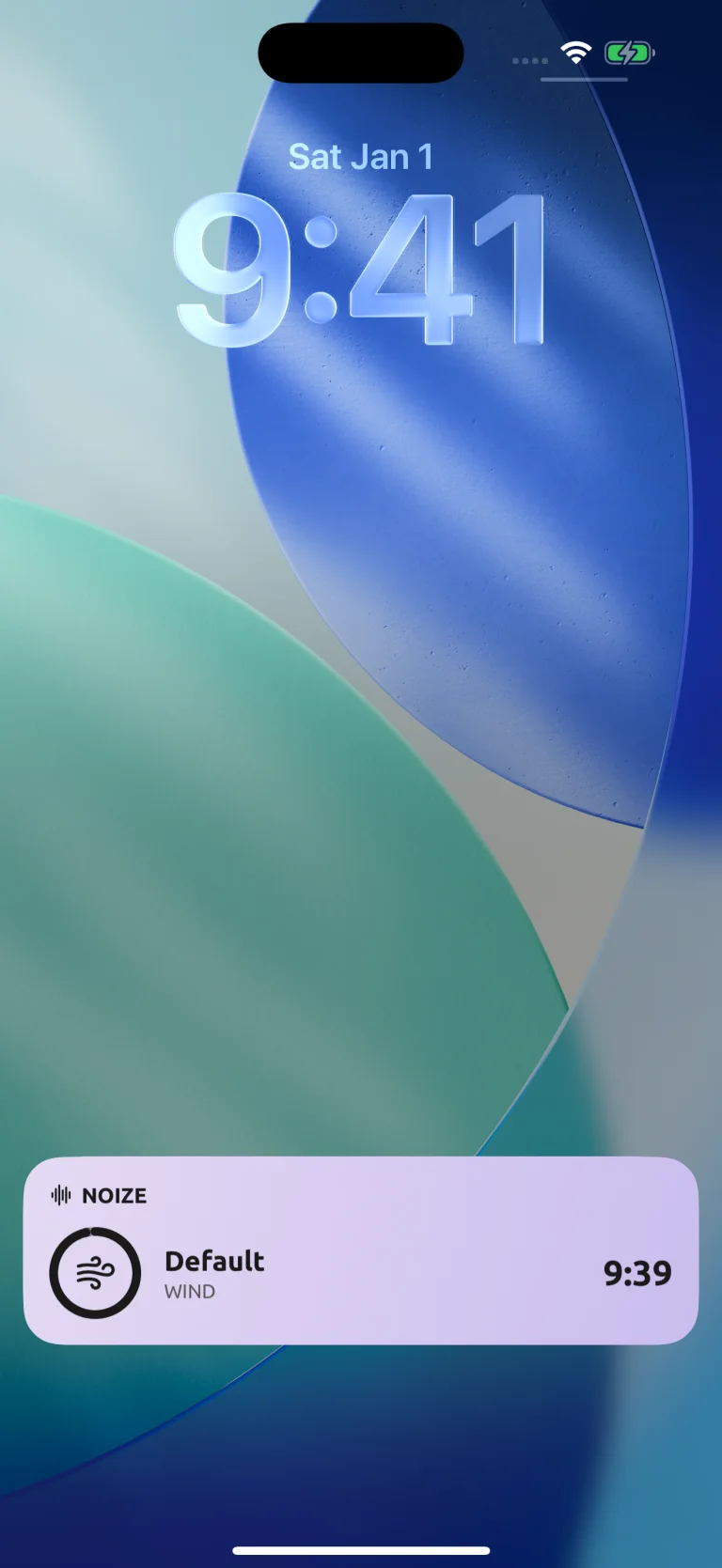
NOIZE shows what is playing and the time left in a Live Activity on the Lock Screen and in the Dynamic Island, where you can pause with a tap. Home screen widgets start your saved mixes and categories on iPhone, iPad and Android.
Live Activity and the Dynamic Island are on iPhone. Widgets are on iPhone, iPad and Android.
What you get
See it at a glance
What is playing and the time left, on the Lock Screen and in the Dynamic Island.
Pause with a tap
No need to unlock the phone or open the app.
Home screen widgets
Start a saved mix or a category straight from your home screen: three sizes on iPhone, four on iPad, and one resizable widget on Android. Or hold the app icon for your last three sounds.
How it works
- Start a sound with a sleep timer.
- Lock your phone. The Live Activity shows the sound and the time left.
- Tap pause there, or add a NOIZE widget to your home screen for next time.
Common questions
Does NOIZE keep playing when the phone is locked?
Yes. NOIZE keeps playing in the background, alongside your music or podcasts.
What does the Lock Screen show?
A Live Activity with what is playing and the time left, and a pause control.
What can the widgets do?
They start your saved mixes and categories from the home screen. iPhone has small, medium and large; iPad adds extra large; on Android one widget resizes between the same four layouts.
Can I turn the Live Activity off?
Yes. Turn it off with the Live Activity switch in Settings.
Try it tonight
Free on iPhone, iPad and Android. No ads, no account.